How to stake VFY as a nominator?
You can stake VFY using two options: SubWallet or PolkadotJS.
Option 1: Staking with SubWallet (recommended)
For the most retail-friendly flow, use the SubWallet browser extension. You can nominate validators directly inside the wallet without leaving the UI.
SubWallet has a full step-by-step guide that walks you through:
- Choosing the right validator set
- Bonding your tokens
- Monitoring rewards and payouts
We suggest following their guide for the smoothest experience.
Watch our video on staking with SubWallet.
Option 2: Staking with PolkadotJS (advanced)
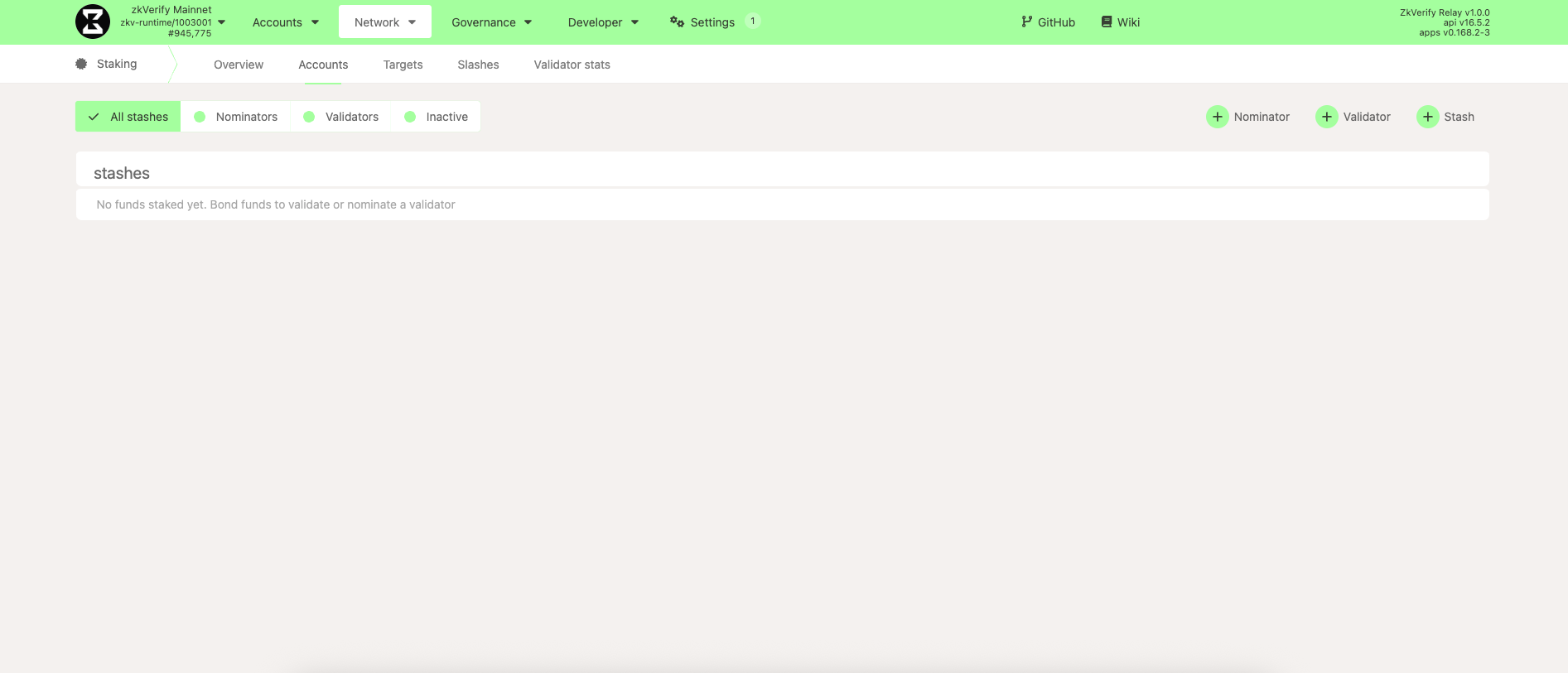
Head to PolkadotJS and navigate to Network → Staking → Accounts. PolkadotJS is the standard interface for Substrate chains, including zkVerify. Select + Nominator to begin.
If you have multiple Substrate accounts connected to Talisman (for example, Polkadot and zkVerify accounts), PolkadotJS may automatically select the wrong account when opening the nominator setup wizard.
Before continuing, verify that the selected stash account is your zkVerify account holding the VFY tokens you intend to stake.
If the correct account is not displayed, open Talisman → Settings → Connected Sites → Substrate → polkadot-js/apps and ensure that your zkVerify account is enabled for the site.
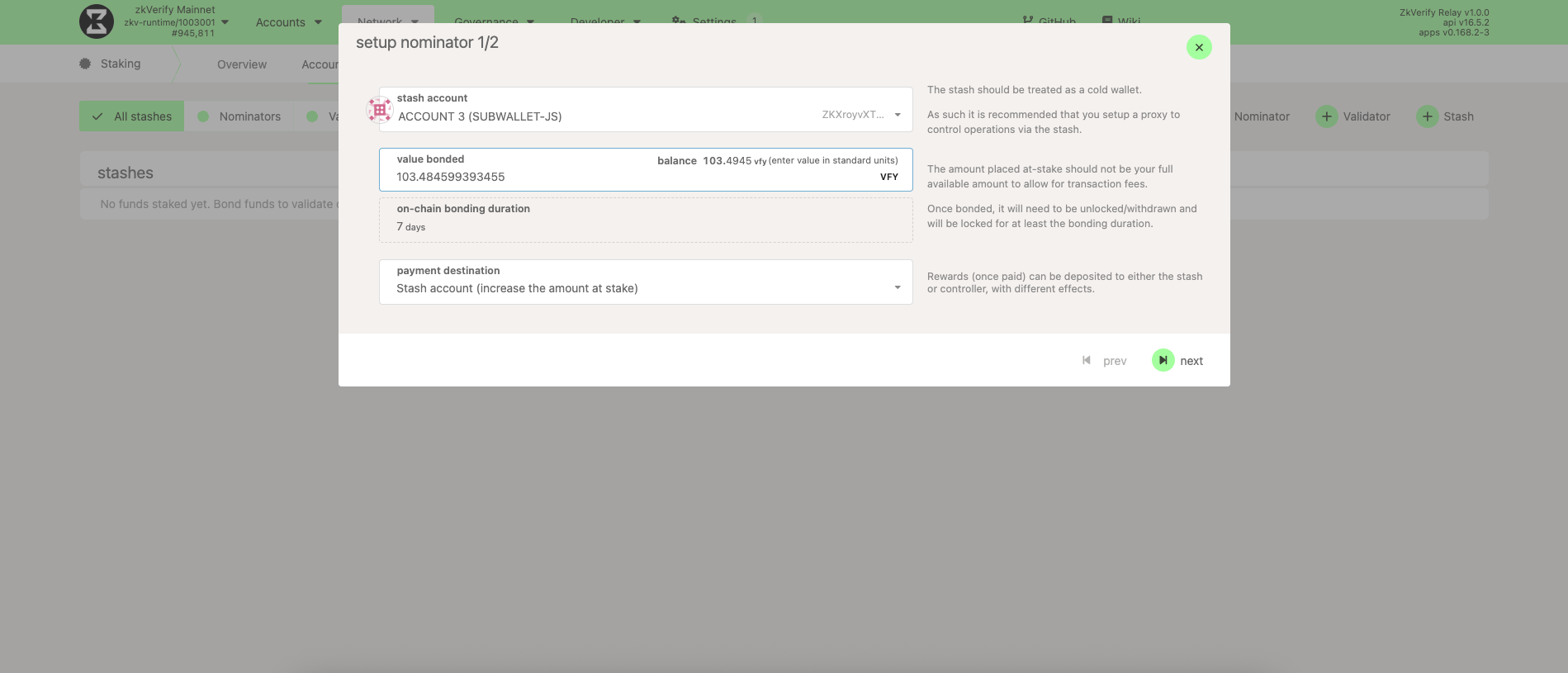
Choose the nominator account, enter how much VFY you want to stake, and pick where rewards should go (payout account). Bonding locks the tokens as stake; they remain yours but cannot be transferred until unbonded. After filling in the fields, click Next.
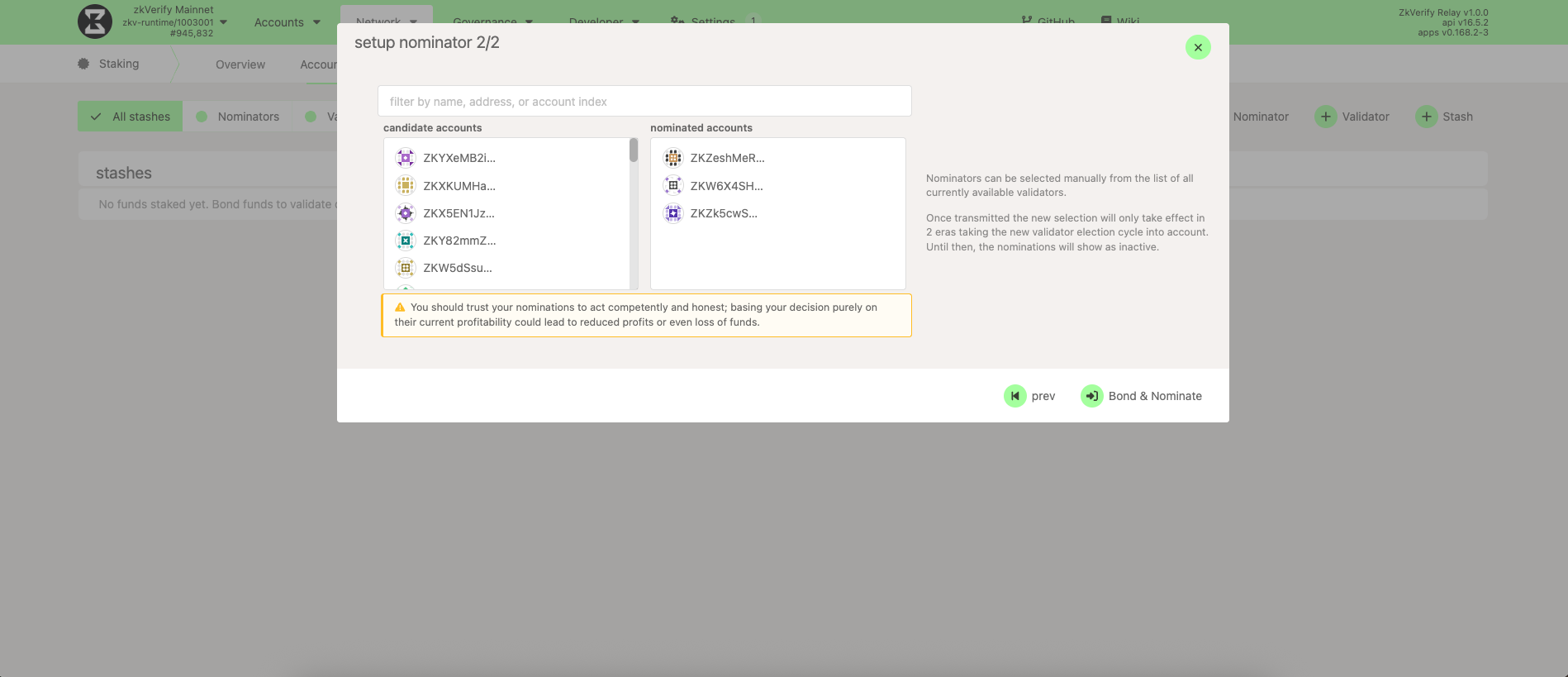
You'll see the list of active and waiting validators. Select the validators you trust—if a validator is slashed, nominators can lose funds. It's best to pick multiple validators to distribute risk and improve inclusion chances. When you're ready, click Bond & Nominate.
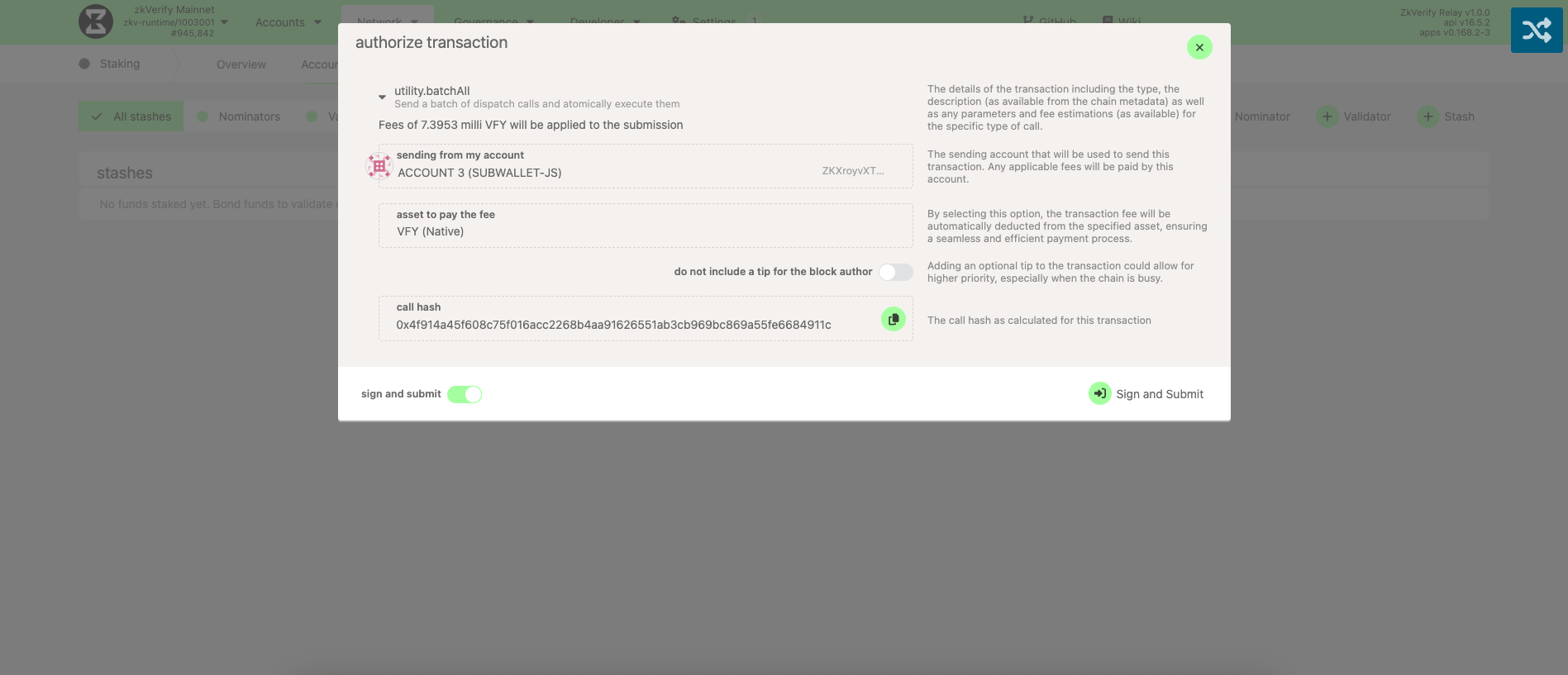
Finally, click Sign and Submit to complete your nominations.
You currently need to stake a minimum of 10 VFY to become a nominator. To confirm the latest value, visit Developer → Chain State → staking → minNominatorBond and press the + button.